

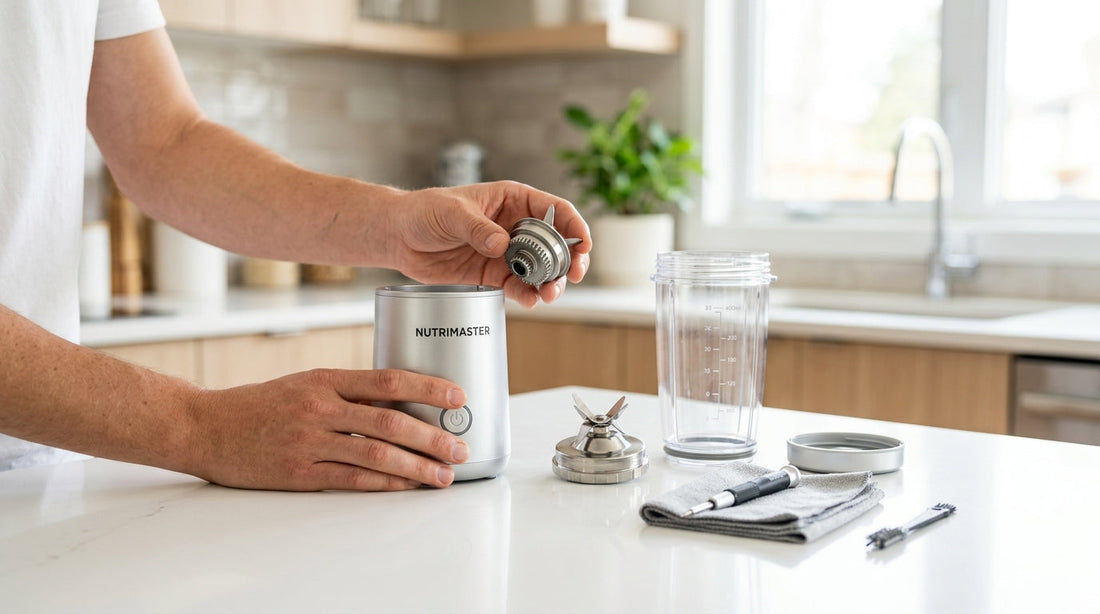
Portable Blender Not Working? 10 Fixes Before You Return It (2026 Guide)

Looking for a reliable portable blender? The InstaCuppa Ultra Slim Portable Blender has magnetic lock safety, 180W motor, and USB-C charging. Rs 2,799 with free shipping.
- Stop! Try These Fixes Before You Return It
- Fix 1: The Safety Lock (Fixes 60% of Cases)
- Fix 2: Charge It Properly
- Fix 3: Clean the Charging Port
- Fix 4: Reduce the Load
- Fix 5: Add More Liquid
- Fix 6: Let It Cool Down
- Fix 7: The Reset Button
- Fix 8: Check the Blade Assembly
- Fix 9: The Flip Test (Blade Orientation)
- Fix 10: Firmware and LED Error Codes
- Quick Diagnostic Table
- When Should You Actually Return It?
- How to Prevent Problems in the Future
- Related Reading
- Frequently Asked Questions
Stop! Try These Fixes Before You Return It
Your portable blender stopped working. The blades will not spin. Or it will not charge. Or it makes a noise but nothing blends. Before you pack it up for a return, try these 10 fixes. Nine out of ten "broken" portable blenders are not actually broken. They have a simple problem. Most take just 2 minutes to fix.
The most common reason? The safety lock is not engaged. That alone causes 60% of "my blender is not working" complaints. The second most common? The jar is overfilled. Third? The battery is dead and needs a full charge, not just 10 minutes.

Fix 1: The Safety Lock (Fixes 60% of Cases)
Every portable blender has a safety lock. It stops the blades from spinning unless the jar is properly attached. This protects your fingers. But it is also the top reason people think their blender is broken.
What happens: You press the power button. Nothing happens. No sound, no vibration, no blinking lights. The blender seems completely dead.
The fix:
- Remove the jar from the base completely.
- Look at the bottom of the jar and the top of the base. You will see small magnets or alignment arrows.
- Place the jar back on the base. Align the arrows or marks.
- Press down firmly and twist slightly until you hear or feel a click.
- Now press the power button.
Fix 2: Charge It Properly
A portable blender with a dead battery will not turn on. But here is what people miss: a dead battery needs a full charge first. Plugging it in for 10 minutes is not enough.
The fix:
- Plug in the USB-C cable to a wall adapter (not a laptop USB port — too slow).
- Wait for 2-3 hours for a full charge. Do not try to use it during charging.
- Look for the LED indicator. Most blenders show a red light while charging and green when full.
- After the light turns green, unplug and try again.
Common mistake: Using a low-power USB port (laptop, old car charger). These deliver only 0.5A. The blender needs at least 1A. Use your phone charger instead. It delivers 2A and charges the blender in 2-3 hours.
Fix 3: Clean the Charging Port
The USB-C port on your blender is small. Pocket lint, kitchen dust, and water splashes can block it. A dirty port means the cable cannot make proper contact. So the blender does not charge.
The fix:
- Turn off the blender.
- Look inside the USB-C port with a flashlight. You may see lint, dust, or dried liquid.
- Use a wooden toothpick (not metal — metal can short circuit the port) to gently scrape out any debris.
- Blow gently into the port to clear loose dust.
- Plug in the cable again. Push it in firmly. You should feel a solid click.
Sign this is your problem: The cable feels loose when you plug it in. It does not click into place. Or the charging light flickers on and off.
Fix 4: Reduce the Load
You put too much food in the jar. The motor hums and vibrates, but the blades barely move. Or the motor shuts off after 2 seconds. This is not a malfunction. The blender is protecting itself from overload.
The fix:
- Open the jar. Remove about 30% of the contents.
- The food should never go above the MAX line on the jar.
- Leave at least 20% empty space at the top for the vortex to form.
- Close the jar, lock it, and try again.
| Jar Size | MAX Fill Level | Ideal Fill Level |
|---|---|---|
| 400ml | 320ml | 280ml |
| 450ml | 360ml | 315ml |
| 480ml | 380ml | 335ml |
| 500ml | 400ml | 350ml |
| 600ml | 480ml | 420ml |
Fix 5: Add More Liquid
A portable blender is not a mixer grinder. It cannot blend dry items. It needs liquid to create a vortex. Think of it as a spinning funnel that pulls food into the blades. Without enough liquid, the blades spin but nothing reaches them.
The fix:
- Add at least 100-150ml of liquid (water, milk, juice, curd, buttermilk).
- Always add liquid first, then solid ingredients.
- For thick smoothies, use a 60:40 liquid-to-solid ratio.
- If the blender stalls, add 50ml more liquid and try again.
The physics: Blender blades spin at 15,000-22,000 RPM. At that speed, liquid forms a vortex (like a mini tornado). This pulls chunks of fruit down into the blades. Without liquid, there is no vortex. Chunks just sit on top and nothing happens.
Fix 6: Let It Cool Down
If your blender suddenly stops mid-blend, it probably overheated. Most portable blenders have thermal protection. A sensor shuts off the motor when it gets too hot. This prevents motor damage.
The fix:
- Unplug the blender (if charging).
- Open the jar to release any trapped heat.
- Wait 10-15 minutes. Let the motor cool down completely.
- When you restart, blend in shorter bursts (15-20 seconds), not one long 60-second run.
What causes overheating:
- Blending for too long without a break (more than 40-60 seconds straight)
- Too much thick food and not enough liquid
- Blending in direct sunlight or in a very hot car
- Running the blender multiple times back-to-back without breaks
Fix 7: The Reset Button
Some portable blenders have a hidden reset button. It is a tiny hole near the charging port or on the bottom of the base. You may not notice it unless you look closely.
The fix:
- Look for a tiny pin-sized hole on the base or near the USB port.
- Insert a paperclip or SIM-ejector tool into the hole.
- Press and hold for 3-5 seconds.
- Release. The blender may blink its LEDs to confirm reset.
- Try turning it on again.
The reset button clears the motor controller's memory. If the blender had a power surge or software glitch, the reset brings it back to factory settings. Think of it like restarting your phone when it freezes.
Fix 8: Check the Blade Assembly
The blade assembly sits between the motor and the jar. It has a rubber gasket (O-ring) that creates a watertight seal. If this gasket is loose, dirty, or out of place, the blender may not lock or may leak.
The fix:
- Unscrew the blade assembly from the bottom of the jar (turn counter-clockwise).
- Check the rubber gasket. Is it cracked, stretched, or out of position?
- Clean the gasket with warm soapy water. Remove any dried smoothie residue.
- Place the gasket back in its groove. Make sure it sits flat with no bumps.
- Screw the blade assembly back on firmly (but do not over-tighten).
- Reattach to the base and try again.
If the blades spin freely when you turn them with your finger (no resistance), the blade assembly may be stripped. This is one of the few cases where you may need a replacement part or a return.
Fix 9: The Flip Test (Blade Orientation)
Some portable blenders are designed to blend upside down. You flip it so the motor end is on top. The blades sit at the motor end. Gravity pulls the food down into the blades.
The fix:
- Check your blender's manual. Does it say "flip to blend"?
- If yes, add ingredients, lock the jar, then flip the blender upside down.
- Press the button with the jar pointing down.
- The food falls toward the blades by gravity. This is the intended design.
If your blender does not require flipping, do NOT flip it. Blenders that blend right-side-up have the blades at the bottom. Flipping them means food moves away from the blades. Different designs, different methods.
Fix 10: Firmware and LED Error Codes
Modern portable blenders use LED error codes to tell you what is wrong. Learning these codes saves you from guessing.
| LED Behavior | What It Means | What to Do |
|---|---|---|
| Red blinking (fast) | Battery too low to blend | Charge for 2-3 hours |
| Red blinking (slow) | Motor overheated | Wait 15 minutes to cool |
| White/blue blinking 3x | Safety lock not engaged | Realign and lock the jar |
| All LEDs flash once | Overload protection triggered | Remove food, add liquid |
| No lights at all | Battery completely dead or defective | Charge 30 min. If no light, may need return |
| Green steady | Fully charged, ready to blend | You are good to go |
Quick Diagnostic Table
| Symptom | Most Likely Cause | Fix # |
|---|---|---|
| Pressing button, nothing happens | Safety lock not engaged | Fix 1 |
| Will not charge | Dirty port or bad cable | Fix 3 |
| Motor hums, blades do not spin | Overloaded jar | Fix 4 |
| Blades spin but nothing blends | Not enough liquid | Fix 5 |
| Stops mid-blend | Overheated motor | Fix 6 |
| Random shutdown and will not restart | Needs reset | Fix 7 |
| Leaking from bottom | Gasket issue | Fix 8 |
| Food does not reach blades | Wrong orientation | Fix 9 |
| LED error codes | Various | Fix 10 |
When Should You Actually Return It?
If you have tried all 10 fixes and the blender still does not work, it may have a real defect. Here are signs that you need a return or warranty claim:
- Battery will not charge at all — No LED response after 3 hours on a 2A charger with a clean port. Battery may be dead on arrival.
- Burning smell — A burnt plastic or electrical smell means the motor or wiring is damaged. Stop using it immediately.
- Cracked jar — If the jar has a crack, even a small one, do not use it. Liquid can leak into the motor.
- Blades do not spin at all — After confirming safety lock is engaged, battery is full, and jar is not overloaded, the motor may be defective.
- Sparking near the charging port — This is a wiring defect. Return immediately.
How to Prevent Problems in the Future
- Always add liquid first. This is the number one rule. Liquid first, fruit second, ice last.
- Never fill past the MAX line. Leave 20% space for the vortex.
- Cut fruit into small pieces. 1-2cm cubes work best. Do not put whole bananas or apples.
- Blend in bursts. 15-20 seconds on, 5 seconds off, repeat. Do not run the motor for 60 seconds straight.
- Clean after every use. Rinse with water, add soap, blend for 10 seconds, rinse again. This takes 30 seconds.
- Dry the charging port. After washing, make sure the USB-C port is completely dry before charging. Water in the port can cause corrosion.
- Charge monthly even if not in use. Lithium-ion batteries degrade faster when stored at 0% charge. Keep them above 20%.
- Avoid extreme heat. Do not leave the blender in a hot car or in direct sunlight. Heat damages batteries.
Related Reading
- Portable Blender Problems: Battery, Ice & What Nobody Tells You
- Portable Blender Battery Life: How Long Does It Last?
- Is a Portable Blender Worth It? Honest Pros & Cons (2026)
- Portable Blender for Travel: Flight Rules, Packing & Hotel Use
- Portable Blender: Complete Guide for Indian Buyers (2026)
Frequently Asked Questions
Why does my portable blender not turn on when I press the button?
The most common reason is the safety lock is not engaged. The jar must be properly aligned and locked onto the base before the blender will respond to the power button. Remove the jar, align the arrows or marks on the jar and base, press down firmly and twist until you hear a click, then try the button again. If that does not work, the battery may be dead — charge it for 2-3 hours with a 2A charger.
My portable blender motor runs but nothing blends. What is wrong?
This means there is not enough liquid in the jar. A portable blender needs liquid to create a vortex that pulls food into the blades. Add at least 100-150ml of water, milk, or juice. Always add liquid first, then soft ingredients, then ice. If the blender is still struggling, reduce the amount of solid food by about 30%.
Why does my portable blender stop after a few seconds?
This is usually overload protection or thermal protection. If the motor is working too hard (too much food, not enough liquid, or frozen ingredients), it shuts off to prevent damage. Remove 30% of the contents, add more liquid, and try again in shorter 15-20 second bursts. If it stops because of heat, wait 10-15 minutes for the motor to cool down.
My portable blender will not charge. How do I fix it?
First, clean the charging port with a wooden toothpick to remove any lint or dust. Second, try a different USB-C cable — cables wear out. Third, use a phone charger (2A output) instead of a laptop USB port (only 0.5A). Fourth, if the battery has been at 0% for weeks, it may need 30 minutes of charging before showing any response. If none of this works, the battery may be defective and eligible for warranty return.
Where is the reset button on a portable blender?
The reset button is a tiny pin-sized hole, usually found near the charging port or on the bottom of the base. Not all portable blenders have one. Use a paperclip or SIM ejector tool to press and hold it for 3-5 seconds. The blender may blink its LEDs to confirm the reset. This clears any software glitches in the motor controller.
Why is my portable blender leaking from the bottom?
Leaking usually means the rubber gasket (O-ring) in the blade assembly is loose, cracked, or has food stuck on it. Unscrew the blade assembly from the bottom of the jar, remove the gasket, clean it with warm soapy water, check it for cracks, and put it back making sure it sits flat in its groove. Screw the blade assembly back on firmly. If the gasket is cracked, you may need a replacement.
How do I know if my portable blender is actually defective?
A truly defective blender shows these signs: it will not charge at all after 3 hours on a known-good charger with a clean port, it produces a burning smell, the jar has a crack, sparks appear near the charging port, or the blades do not spin even with a full battery and properly locked jar. If you see any of these, stop using it and contact the seller for a warranty return. Take a video of the problem for faster processing.
What does a blinking red light on my portable blender mean?
A fast blinking red light usually means the battery is too low to blend — charge it for 2-3 hours. A slow blinking red light means the motor has overheated — wait 15 minutes for it to cool down. Three white or blue blinks mean the safety lock is not engaged — realign the jar. Check your blender's manual for model-specific codes, as different brands use slightly different patterns.
Can I fix a portable blender myself or do I need a technician?
Most portable blender problems (safety lock, charging, overloading, overheating) are user-fixable in under 2 minutes with no tools. The only fix that needs a simple tool is the reset button (a paperclip works). You do not need a technician for any of the common issues. The only time you need professional help or a return is for genuine defects like a dead battery, cracked jar, burning smell, or motor failure.
How do I prevent my portable blender from having problems?
Follow these rules: always add liquid first before solid food, never fill past the MAX line, cut fruit into 1-2cm cubes, blend in 15-20 second bursts (not 60 seconds straight), clean after every use, dry the charging port before charging, charge monthly even when not in use, and never leave it in a hot car or direct sunlight. These habits prevent 90% of common problems.
The kitchen takes your mornings, afternoons, and evenings. Your family gets what's left.
InstaCuppa builds time-saving kitchen tools for busy Indian moms — so the kitchen stops stealing the moments you can't get back.
Morning chai without rushing. Evening walks with your kids. Sundays that feel like Sundays.
More time for what matters.
Amazon
Top Brand
10+
Years in Business
5L+
Happy Customers
88%
Positive Ratings
As rated on Amazon.in
P.S. — If You Need a Reliable Portable Blender
We make 5 models. Each one is USB-C rechargeable, BPA-free, and comes with a 1-year warranty.


